Edit Business License Information
Business licenses are permits issued by the government which allows an individual or company to conduct business.
The Main panel for business license cases contains an additional section at the bottom of the panel. To edit license information for a business, complete the following:
- On the summary page of a case,
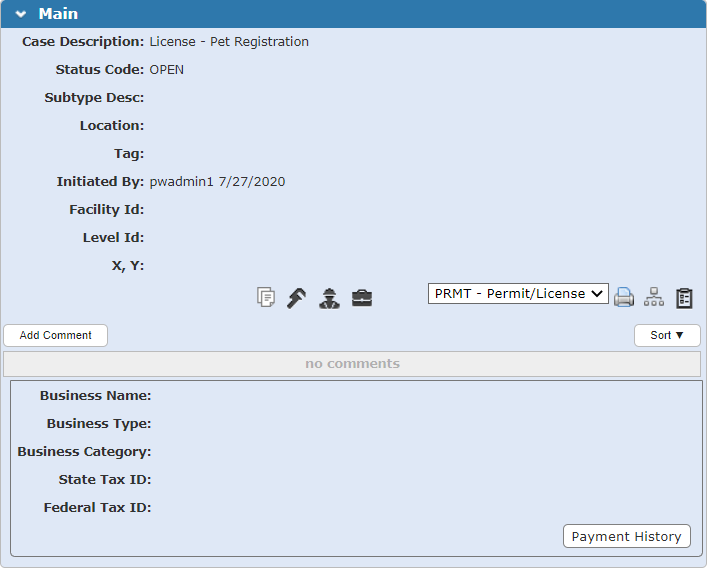
 NOTE: A Map Layer section displays (after the X and Y fields) if there are map layers configured by the administrator for the case template, and the address has been geocoded. The Map Layer section does not appear during the application input process or if you edit the Main panel from the summary page. It only appears when viewing the Main panel on the summary page. See Configure GIS Data on a Case Template in the PLL Admin Office Companion 23 Guide for more information on configuring map layers for a case template.
- Update or enter the business name as needed.
- Select the type of business and business category from the drop-down lists.
- Update or enter the state and federal tax ID numbers of the business.
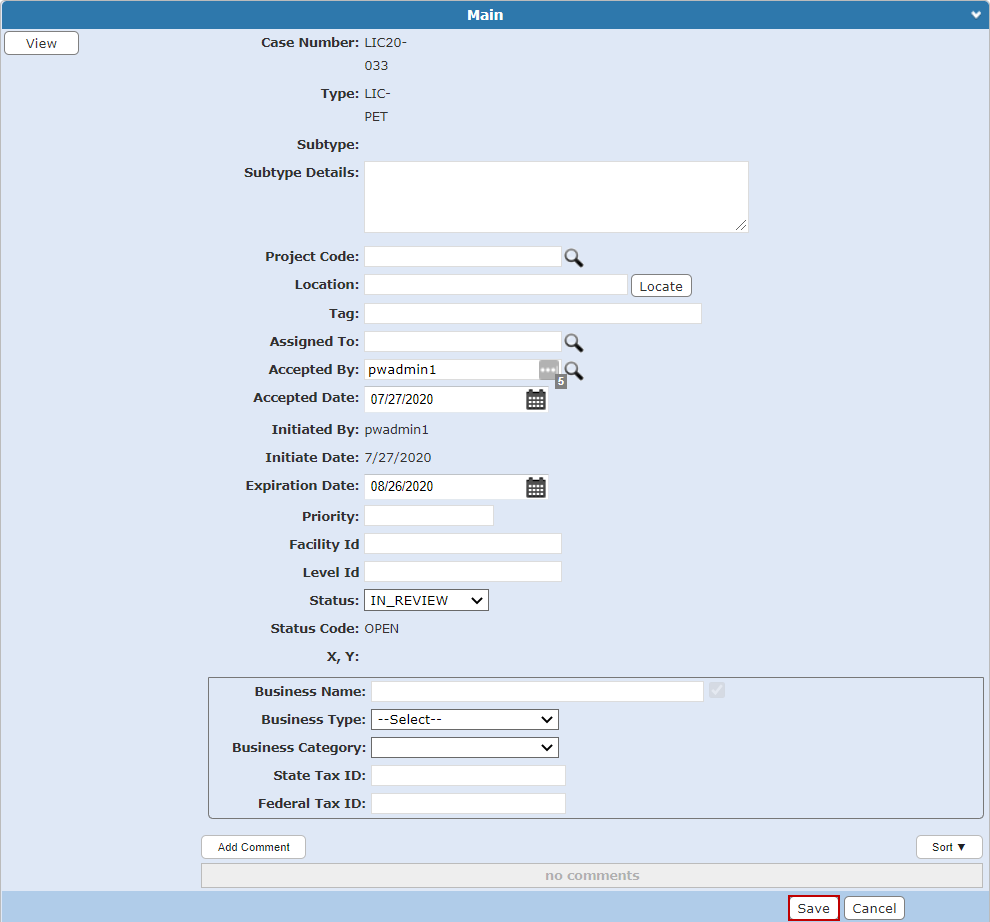
A success message appears
See Main Panel Fields for an explanation of the Main panel fields.